

Ready, set, start working! Could you imagine that, instead of time cards, we all just started work like a race? Wildly inefficient and inaccurate, yes, but likely lots of more fun—although this fun would likely be short-lived as you’d have to create an entirely new position dedicated to just documenting everyone’s hours as well as correcting any mistakes in timing. Of course, even without this unnecessarily complicated way of timekeeping, it’s possible you’re still seeing errors on your time cards, or perhaps you’re not really taking advantage of any time tracking methods at all. In either case, you could be putting a lot on the line: costly penalties, compliance, missing hours, and incorrect overtime reporting are only the tip of the iceberg when it comes to issues that could arise out of outdated or not-so-official time tracking systems.
At Payday HCM, we’re very familiar with the ins and outs of timekeeping, including the different systems and methods available to you and your business. We receive questions from our clients all the time on what the best methods for time tracking are, ways to streamline the time tracking process, and other procedural questions relating to timekeeping. As we’ve received these questions, a few have stood out as being quite common, mainly questions that relate to employees editing time cards, geofencing, and automated date entry.
So, in this article, we’ll be going over these three common questions on employee time tracking, breaking down what they mean and the best practices for them moving forward. We’ll start with a brief refresher on what time tracking is before moving into the questions themselves. After that, we’ll cover some general best practices when it comes to timekeeping to ensure your business isn’t falling behind when it comes to time tracking.
In this article, you will learn:
- What Is Time Tracking?
- Common Timekeeping Questions
- Time Tracking Best Practices
What Is Time Tracking?
First, before we dive into our timekeeping questions, we’ll briefly go over what time tracking is and how it works.
Tracking Employee Hours
Generally speaking, time tracking, sometimes also called timekeeping, refers to the process of recording or logging the hours worked by an employee for a company in order to ensure proper compensation. Time tracking is one of the more core components of the broader payroll process, forming the foundation for how an employee’s worked hours are actually tracked.
One of the things that can make timekeeping confusing is the terms. Time tracking, time entry, timesheets, and time reporting are sometimes used interchangeably but typically refer to different parts of the overall time management process. Time tracking is a broader umbrella term that usually includes things like time entry and time reporting, while timesheets are used to perform time tracking.
The Timekeeping Process
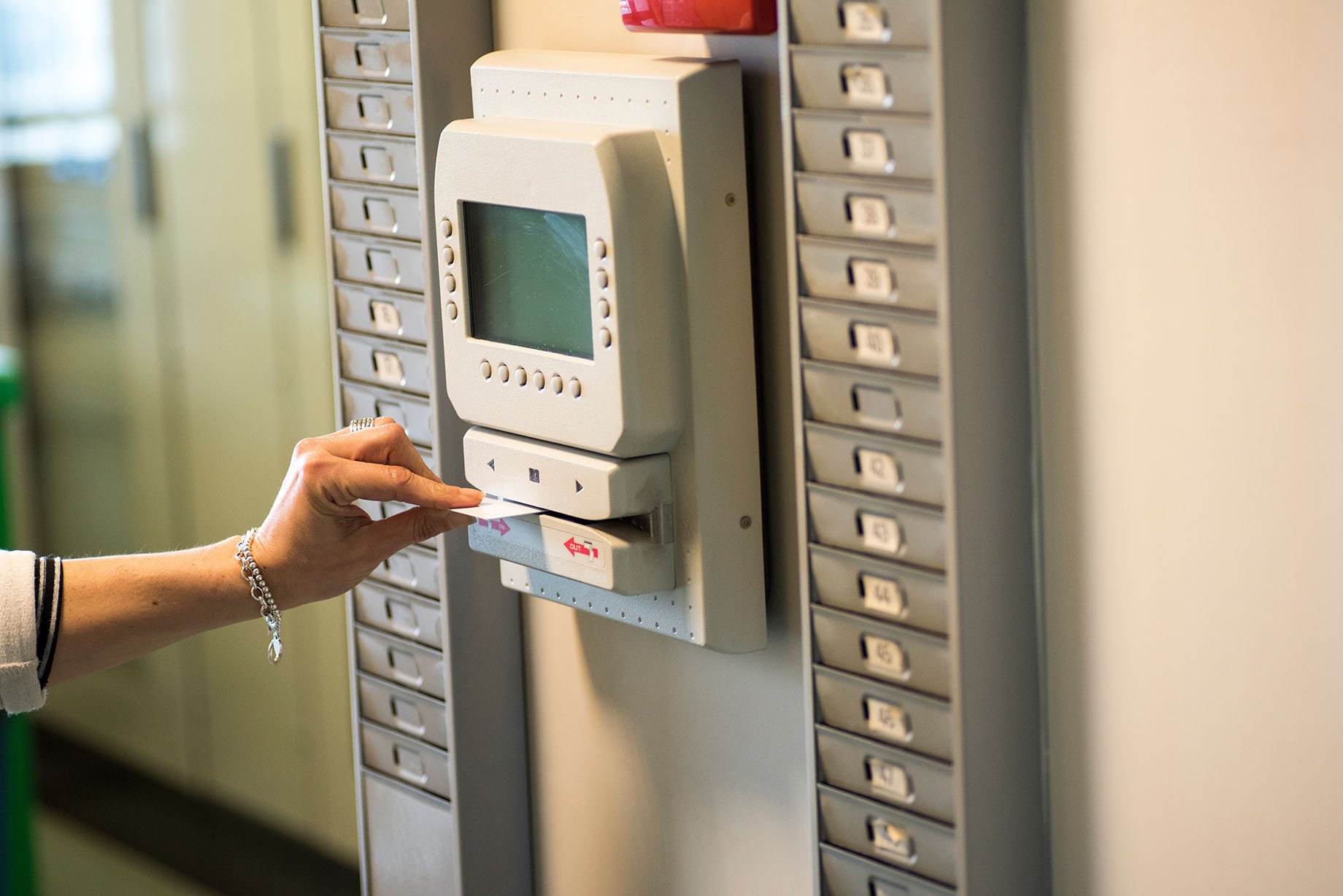
Speaking of timesheets and time entry, the timekeeping process typically involves entering employee hours (time entry) into some sort of organized sheet or system (timesheets, time tracking software). This is typically done through the punch system: employees will “punch in” at the start of the shift and “punch out” at the end, entering their time into the timesheet.
From here, timekeeping can really become as complicated as you’d like to make it (of course, these “complications” often serve a practical purpose). You could simply have employees write down their time-in and time-out on a piece of paper, or you could implement a full-scale time tracking system equipped with biometric time clocks. Either way, you’re performing time tracking.
Zooming out, it becomes clearer where questions might arise: Is there any way to automate the time entry process? With mobile time tracking software, how do you ensure an employee is only clocking in once at work? Who’s in charge of editing employee time cards in case there’s a mistake?
Common Timekeeping Questions
Now that we understand what timekeeping is, we’ll take a closer look at the questions raised at the end of the section above.
Who’s In Charge Of Editing Employee Time Cards If There’s A Mistake?
The answer to this question may seem like an obvious one: the employee’s supervisor or the manager in charge of time tracking should be the one to edit an employee’s time card if there’s any mistake. And, yes, managers should generally be in charge of any time card edits, but this doesn’t mean employees shouldn’t be allowed to edit their time cards.
If you’re utilizing modern time tracking software, you’ll likely have the ability to approve any edits made to an employee’s time card. In that same vein, employees will likely also have the ability to edit their time cards through their self-service portal. Allowing employees to verify their own time cards can help save you or your managers’ time, while ensuring the time cards still need a final managerial verification helps to prevent time theft.
I Want To Implement Mobile Time Tracking Software, But How Can I Verify Employees Are Only Clocking In At Work?
This question follows a similar path as the last one: modern time tracking software allows for a lot of automation as well as freedom and ease for the employee, but this comes with potential risks for the employer. While employing a time tracking software that delivers mobile time entry, allowing employees to clock in and out from their mobile devices, it raises the question of whether employees may start clocking in or out from places that aren’t the job site.
This is where geofencing comes in: just like how modern time tracking systems will allow employees to edit time cards but still require supervisorial verification, mobile time entry systems allow employees to clock in and out from their mobile devices, but are likely also equipped with geofencing.
Geofencing creates a digital “fence” around your business, meaning that when an employee is outside of that fence, their time tracking software will not allow them to clock in or out. This helps to ensure employees are only clocking in or out while physically present at the job site, while still retaining the flexibility of mobile time tracking software.
Can You Automate The Time Entry Process?
Now, some of you may have gotten this far and read the answers to the previous questions and thought, “Wait, is there software that can do all of my timekeeping for me?” The short answer is yes: for those still utilizing manual processes to perform time entry, time tracking software can help you automate those more tedious manual data entry tasks.

Implementing time tracking software can help you save time not only by performing manual time entry, but it can also help increase the accuracy of your time entry, logging employee punches the moment they happen. Most software can accept punches via a variety of different methods: traditional time clocks, biometrics, and mobile apps.
Time Tracking Best Practices
Now that we have the answers to some of the more common timekeeping questions, we’ll go over some general best practices when it comes to time tracking.
Understand Local and State Labor Laws
A crucial component of timekeeping is tracking overtime and any breaks an employee may have during a shift. Without a solid timekeeping system in place, whether that be with time tracking software or a clear manual entry method, maintaining compliance with local or state labor laws may prove to be difficult.
Employers will need to ensure that their time tracking system can help them maintain compliance with local and state regulations. This includes any mandatory overtime requirements, laws regarding meal breaks during a shift, and any other regulations that may affect the timekeeping process.
Employ Automation Wisely
Like most things, automating your timekeeping process is all about balance. It can be extremely helpful to use a time tracking software that automatically stores and sorts employee punches. However, even with this automation, employers need to be sure that they’re still verifying that employee time cards are correct in order to prevent mistakes from appearing on employee paychecks.
Typically, automation employed with a verification process is the way to go. As we discussed earlier, when talking about employees editing time cards, ensuring there is still some level of managerial verification that takes place can help to ensure you’re still getting the time-saving benefits of automation without risking any mistakes.
Time To Keep Track of Time Tracking
There are many different things that make up the day-to-day tasks of running a business, and while, on the surface, time tracking may not appear to be the most important, it’s certainly one of the most crucial and necessary tasks that any business needs to perform. Of course, it’s one of those things that, when done correctly, you hardly notice it, but when it’s done wrong, or you have mistakes on an employee’s time card, it suddenly becomes the only thing you can think about. That’s why having a good timekeeping system in place is so fundamental for businesses—luckily, with the information provided in this article, you can do just that, ensuring your time tracking is kept track of.
Timekeeping is only one of many core functions vital to ensuring a business’s smooth operation. Scheduling, hiring and onboarding, tax filings—these are all things that, while maybe not glamorous, are necessary to keep a business running. In some cases, though, you may not always be taking advantage of all the tools available to you, or, in the case of taxes, you may not fully be aware of all the different taxes your business is expected to withhold. Payroll taxes are one of the most foundational and yet still confusing aspects of running a business. Check out our article on five things to know about payroll taxes to help turn your confusion into knowledge.
Topics: